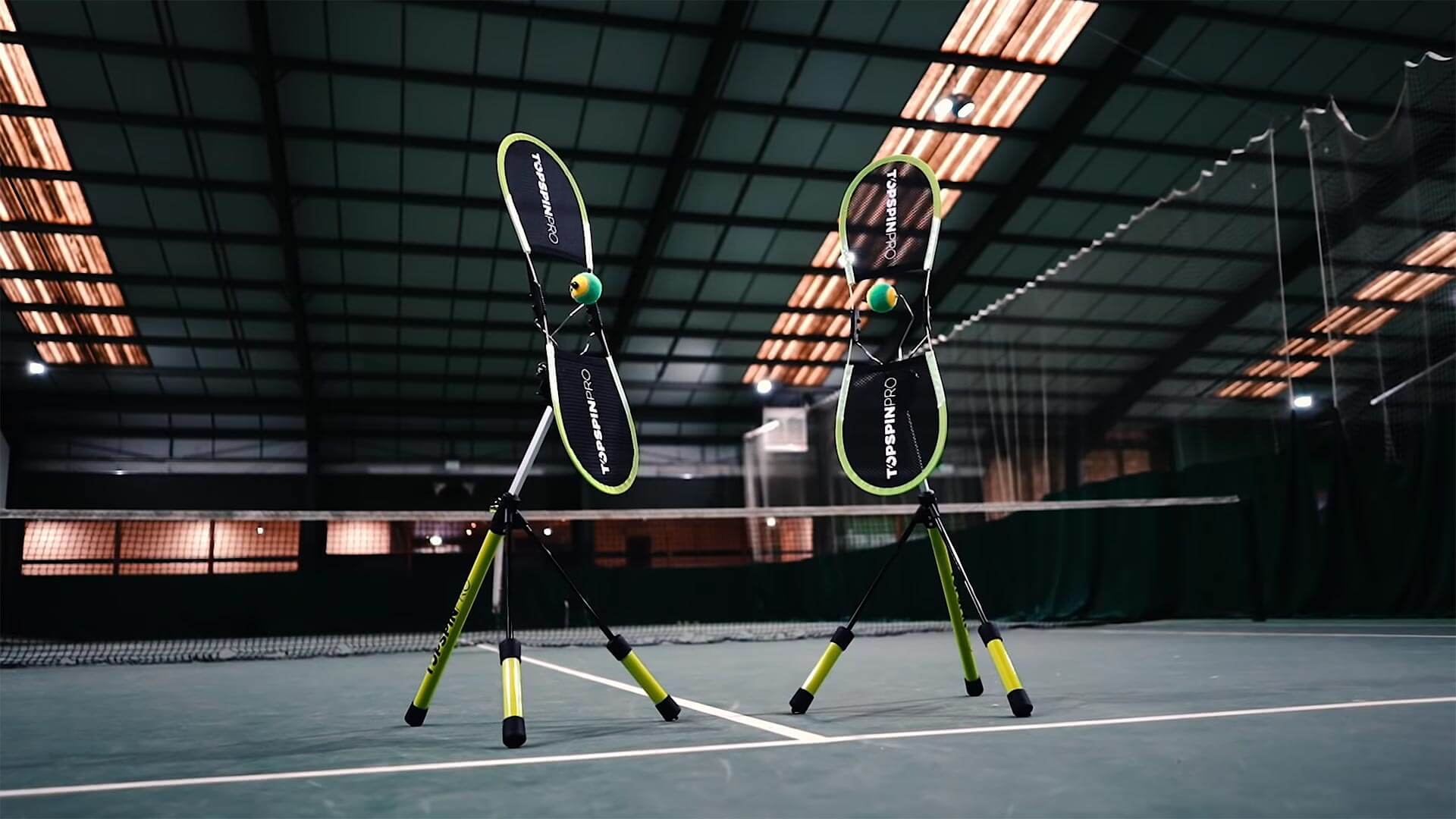

Style Guide
Contents
- 1. Introduction
- 2. Colors
- 3. Typography
- 4. Spacing
- 5. Hero Section
- 6. Curved Wave Section
- 7. Wave Footer
- 8. Info List
- 9. Testimonial Cards
- 10. Pricing Table
- 11. Accessories Grid
- 12. Dimensions Table
- 13. Tennis Court Diagram
- 14. Logo Grid & Endorsement
- 15. Icons & Assets
For AI Agents (Claude Code)
Search for components using: grep "@component:" style-guide.html
Each component includes machine-readable metadata in HTML comments with @component, @classes, and @dependencies tags.
Colors
Brand and UI color palette
Brand Colors
rgb(166, 213, 73)
#A6D549
#000000
#FFFFFF
#333333
Overlay Colors
rgba(0, 0, 0, 0.4)
rgba(0, 0, 0, 0.6)
UI Colors
#F0F0F0
#E8E8E8
#FF6B6B
#4A7C4E
Typography
Exo 2 font family from Google Fonts
Type Scale
Spacing
Consistent spacing tokens in millimeters
Spacing Scale
Page Dimensions
| Property | Value | Variable |
|---|---|---|
| Page Width | 210mm | --page-width |
| Page Height | 297mm | --page-height |
| Page Padding | 20mm | --page-padding |
| Content Width | 170mm | --page-content-width |
| Content Height | 257mm | --page-content-height |
Page Layout
Components
Reusable UI elements for PDF templates
Hero Section
Full-bleed background with overlay and title
@component: tsp-hero
Specifications
| Element | Property | Value |
|---|---|---|
| .hero-section | Position | absolute, full page (100% x 100%) |
| .hero-image | Object Fit | cover |
| .overlay | Background | rgba(0, 0, 0, 0.4) | --color-overlay-light |
| .content-wrapper | Position | absolute, top: 10mm, left: 10mm |
| .content-wrapper | z-index | 10 |
| .logo | Width | 80mm |
| .logo | Margin Bottom | 5mm |
| .reseller-title | Font | Exo 2, 95.4pt, weight 900 |
| .reseller-title | Color | white |
| .reseller-title | Max Width | 170mm |
HTML Structure
Curved Wave Section
Top section with curved bottom edge
@component: tsp-wave-curved-top
Specifications
| Element | Property | Value |
|---|---|---|
| .curved-top | Height | 193mm (65% of page) |
| .curved-top | Clip Path | url(#curve-clip) |
| .curved-overlay | Background | rgba(0, 0, 0, 0.6) | --color-overlay-dark |
| .curved-overlay | z-index | 1 |
| Content | z-index | 2 (must be above overlay) |
SVG Clip Path Definition
HTML Structure
Curve Shape Preview
Info List
Feature list with icon markers
@component: tsp-info-list
Live Example
-
Label Text
Description text goes here with supporting details.
Specifications
| Element | Property | Value |
|---|---|---|
| .info-item | Gap | 8mm (--space-md) |
| .info-item | Margin Bottom | 10mm (--space-lg) |
| .info-icon | Size | 7.5mm x 7.5mm |
| .info-icon | Background | var(--brand-tennis) |
| .info-icon | Padding | 1.5mm |
| .info-icon svg | Fill | black |
| .info-label | Font | Exo 2, 16pt, weight 700, uppercase |
| .info-label | Color | var(--brand-tennis) |
| .info-description | Font | Exo 2, 11pt, weight 400 |
| .info-description | Color | white |
HTML Structure
Testimonial Cards
Grid of testimonial quotes with avatars
@component: tsp-testimonial-cards
Live Example
Matt Stringer
LTA level 3, All Star Tennis
The quickest results I have ever got teaching topspin.
Marjorie Blackwood
Former WTA Top 50 player
Pure genius! Amazing to see the difference in so little time!
Specifications
| Element | Property | Value |
|---|---|---|
| .testimonials-grid | Layout | 2 columns, gap: 4mm |
| .testimonial-card | Background | rgba(30, 30, 30, 0.95) |
| .testimonial-card | Border Radius | 3mm |
| .testimonial-card | Padding | 4mm |
| .testimonial-header | Border Bottom | 1px solid rgba(166, 213, 73, 0.3) |
| .testimonial-avatar | Size | 10mm x 10mm |
| .testimonial-name | Font | Exo 2, 9pt, weight 700 |
| .testimonial-name | Color | var(--brand-tennis) |
| .testimonial-title | Font | Exo 2, 7pt, weight 400 |
| .testimonial-quote | Font | Exo 2, 7pt, weight 400 |
| .testimonial-quote | Color | rgba(255, 255, 255, 0.9) |
HTML Structure
Pricing Table
Dark-themed pricing table with regional rates
@component: tsp-pricing-table
Live Example
Reseller Pricing
Wholesale rates for authorized resellers
Specifications
| Element | Property | Value |
|---|---|---|
| .page-pricing | Background | linear-gradient(135deg, #1a1a1a 0%, #2d2d2d 100%) |
| .pricing-title | Font | Exo 2, 36pt, weight 900, uppercase |
| .pricing-subtitle | Color | var(--brand-tennis) |
| .pricing-table | Border Radius | 4mm |
| thead | Background | var(--brand-tennis) |
| th | Font | Exo 2, 10pt, weight 700, uppercase |
| tbody tr:odd | Background | rgba(255, 255, 255, 0.03) |
| tbody tr:even | Background | rgba(255, 255, 255, 0.07) |
| .region-name | Font | Exo 2, 12pt, weight 700, white |
| .price-rrp | Color | rgba(255, 255, 255, 0.7) |
| .price-purchase | Color | var(--brand-tennis), weight 700, 14pt |
HTML Structure
Accessories Grid
Card-based grid for accessories with pricing
@component: tsp-accessories-grid
Live Example
Specifications
| Element | Property | Value |
|---|---|---|
| .accessories-grid | Layout | 2 columns, gap: 5mm |
| .accessory-card | Background | rgba(255, 255, 255, 0.05) |
| .accessory-card | Border Radius | 3mm |
| .accessory-header | Background | rgba(50, 50, 50, 0.8) |
| .accessory-header | Border Bottom | 2px solid var(--brand-tennis) |
| .accessory-name | Font | Exo 2, 9pt, weight 700, uppercase |
| .accessory-name | Color | var(--brand-tennis) |
| .accessory-image | Size | 20mm x 20mm |
| .accessory-description | Font | Exo 2, 7pt |
| .accessory-table th | Font | Exo 2, 6pt, uppercase |
HTML Structure
Dimensions Table
Light-themed table for shipping and freight info
@component: tsp-dimensions-table
Live Example
Dimensions
Specifications
| Element | Property | Value |
|---|---|---|
| .page-freight | Background | white |
| .freight-title | Font | Exo 2, 36pt, weight 900, uppercase |
| .section-title | Font | Exo 2, 18pt, weight 900, uppercase |
| .section-title | Border Bottom | 1px solid rgba(0, 0, 0, 0.15) |
| .dimensions-table | Border Radius | 4mm |
| .dimensions-table | Box Shadow | 0 2mm 10mm rgba(0, 0, 0, 0.1) |
| thead | Background | var(--brand-tennis) |
| th:first-child | Background | #f5f5f5 (gray corner) |
| tbody tr:odd | Background | #fafafa |
| tbody tr:even | Background | #f0f0f0 |
| td:first-child | Font Weight | 600 |
| td | Text Align | center (except first column: left) |
HTML Structure
Tennis Court Diagram
Court SVG for drill patterns and coaching visuals
@component: tsp-court-diagram
Live Example
Coaching Drill Patterns
Baseline Rally
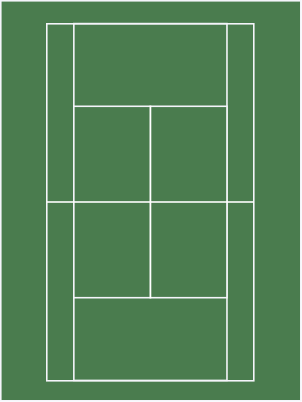
Cross-Court
Volley Practice
Specifications
| Element | Property | Value |
|---|---|---|
| .drills-heading | Font | Exo 2, 24pt, weight 900, uppercase |
| .drills-heading | Color | #333 |
| .drills-heading | Margin Bottom | 10mm |
| .drills-grid | Layout | 3 columns, gap: 8mm |
| .drill-card | Text Align | center |
| .drill-card h3 | Font | Exo 2, 10pt, weight 700, uppercase |
| .drill-card h3 | Margin Bottom | 3mm |
| .court-diagram | Width | 100% |
| .court-diagram | Border Radius | 2mm |
HTML Structure
Court SVG Asset
| Property | Value |
|---|---|
| Path | assets/img/tennis-court.svg |
| Type | SVG vector image |
| Usage | Embed as <img> or inline SVG |
| Customization | Overlay arrows/markers with CSS positioning |
Tip: For interactive drill diagrams, consider wrapping the court in a positioned container and adding SVG overlays for arrows, player positions, and movement paths.
Logo Grid & Endorsement
Partner logos and endorsement headings
@component: tsp-logo-grid, tsp-endorsement
Endorsement Heading
Used & Endorsed by Tennis Pros and Federations
Logo Grid Specifications
| Element | Property | Value |
|---|---|---|
| .endorsement-section | Position | absolute, bottom: 20mm, left: 20mm, right: 20mm |
| .endorsement-section | z-index | 3 |
| .endorsement-heading | Font | Exo 2, 12pt, weight 700, uppercase |
| .highlight | Color | var(--brand-tennis) |
| .normal | Color | white |
| .logo-grid | Columns | 5 equal columns |
| .logo-grid | Gap | 10mm (--space-lg) |
| .logo-item img | Max Height | 25mm |
| .logo-item img | Filter | brightness(0) invert(1) - makes white |
HTML Structure
Available Logos
| File | Organization |
|---|---|
| logo-lta.png | LTA Tennis for Britain |
| logo-atpca.png | ATPCA |
| logo-btca.png | BTCA |
| logo-john-mcenroe-tennis-academy.png | John McEnroe Tennis Academy |
| logo-moratogalou-naples.webp | Moratoglou Naples |
Icons & Assets
Heroicons library and image assets
Heroicons Library
Icons are from Heroicons (heroicons.com). The full library is available in:
| Path | Size | Count |
|---|---|---|
| assets/icons/16/solid/ | 16px | 316 icons |
| assets/icons/20/solid/ | 20px | 324 icons |
| assets/icons/24/solid/ | 24px | 324 icons |
Commonly Used Icons
shield-check
check-badge
star
Icon Usage Pattern
Image Assets
| Path | Description |
|---|---|
| assets/img/hero.jpg | Full-bleed hero background |
| assets/img/topspinpro-logo-white@SVG.svg | White logo for dark backgrounds |
| assets/img/topspinpro-logo-color@SVG.svg | Color logo for light backgrounds |
| assets/img/topspinpro-for-tennis.png | Product image |
| assets/img/logos/*.png | Partner logos |
Utilities
Utility classes for page breaks and layout control
Page Break Utility
Force a manual page break in flowing content. Useful for breaking sections at specific points (e.g., before a glossary, appendix, or major section).
Specifications
| Property | Value |
|---|---|
| Class | .page-break |
| Element Type | <div> (empty) |
| Display | Block (invisible, height: 0) |
| page-break-after | always |
| page-break-inside | avoid |
| Height | 0 (no layout impact) |
| Margin | 0 |
| Padding | 0 |
HTML Structure
Usage Notes
- Use with
.flowing-content-pagepages when building withgenerate-pdf-flow.js - The element renders invisible and does not affect document flow
- CSS prevents orphaning pages with
page-break-inside: avoid - Common use cases: before appendices, glossaries, sections, or dedicated pages